Screensaver vs Live Wallpaper: What's the Difference?

If you've ever searched for ways to make your desktop more dynamic, you've probably come across the terms screensaver and live wallpaper. They're often used interchangeably, and many people assume they mean the same thing. In reality, they serve different purposes and create different experiences.
A screensaver comes to life when your computer is idle, transforming the entire display into an immersive scene. A live wallpaper, on the other hand, remains visible while you work, bringing subtle movement and atmosphere to your desktop without getting in the way.
The good news is that you don't have to choose between them. Understanding how each one works makes it much easier to decide which suits your desktop best—or why using both together often provides the best experience.
What Is a Screensaver?
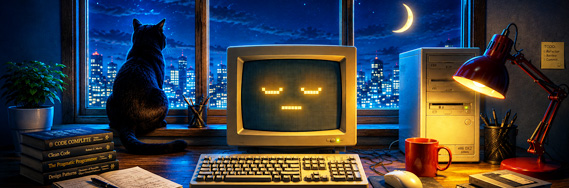
A screensaver is a full-screen animated scene that automatically appears after your computer has been idle for a period of time. While it originally served to protect older displays from image burn-in, today it has become something entirely different—a way to transform an inactive computer into a beautiful living scene.
Unlike an ordinary desktop background, a screensaver temporarily takes over the entire display. There are no icons, no taskbar, and no open windows competing for your attention. Whether it's a quiet beach, a crackling fireplace, a star-filled sky, or an ancient monument, the scene becomes the only thing on the screen.
Modern 3D screensavers can also offer different levels of interaction. The "Look Around" viewing mode lets you change the direction of your gaze while the camera continues along its intended path. More advanced scenes go further: in "Great Pyramids" and "Stonehenge", you can walk through the environment yourself, while "Vintage Aircraft" places you in the pilot's seat of a First World War fighter. "Earth" offers the most extensive experience, allowing you to rotate the planet, zoom toward its surface, and discover information about landmarks and other objects around the world.
Some scenes offer additional ways to enjoy the environment. For example, "Maldives" includes the "Look Around" viewing mode, while "Great Pyramids" lets you freely explore the surroundings in Interactive Mode. These features make a screensaver feel less like a video and more like a place you can visit.
When you return to your computer, a simple mouse movement or key press closes the screensaver instantly, allowing you to continue working exactly where you left off.
What Is a Live Wallpaper?
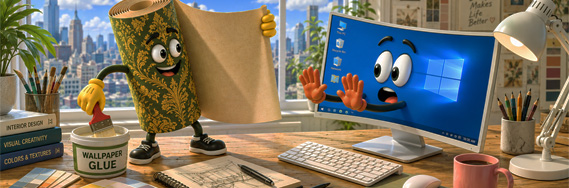
A live wallpaper is an animated scene that remains on your desktop while you use the computer. Unlike a screensaver, it does not wait for a period of inactivity and does not cover your windows or icons. It stays in the background, adding movement and atmosphere without changing the way you normally work.
The animation is usually more restrained than in screensaver mode. A live wallpaper should remain visually appealing without constantly drawing attention away from applications, documents, or browser windows. Water continues to flow, clouds move across the sky, firelight flickers, and small environmental details remain active, but the desktop itself stays fully usable.
Because the scene runs behind your icons, even subtle interaction can make it feel more responsive. In many 3Planesoft live wallpapers, the localized “Follow Cursor” function gently turns the view in the direction of the mouse pointer. It does not provide free camera control; instead, it creates a light sense of connection between your movements and the animated environment.
A live wallpaper is especially well suited to moments when you want the desktop to remain part of the room’s atmosphere throughout the day. "Maldives" can keep a tropical shoreline and underwater world moving behind your work, while "Fireplace" turns the screen into a glowing virtual hearth. The scene remains present, but it never asks you to stop what you are doing in order to enjoy it.
The Same Scene, Two Different Experiences
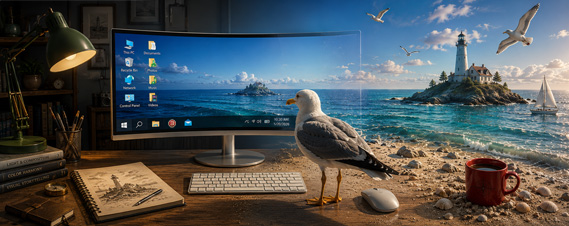
One of the biggest misconceptions is that a screensaver and a live wallpaper are two different products. In many cases, they're simply two ways of enjoying the same scene.
Take "Lighthouse — Calm Waters" as an example. As a live wallpaper, the lighthouse island remains quietly behind your desktop throughout the day. Gentle waves sparkle in the sun, yachts glide across the distant horizon, seagulls circle overhead, and the subtle "Follow Cursor" effect adds a natural sense of responsiveness without distracting you from your work.
When your computer becomes idle, the experience changes. The same scene expands to full screen, the sound of the sea fills the room, and the desktop disappears completely. The "Look Around" viewing mode lets you gently change your perspective while the camera follows its cinematic path, revealing the lighthouse, emerald waters, and surrounding coastline from a series of carefully chosen viewpoints.
Neither mode replaces the other. A live wallpaper brings movement and atmosphere to your workspace while you work, whereas a screensaver invites you to pause for a moment and simply enjoy the scenery. Together, they create a desktop that feels alive throughout the entire day.
Choosing the Right Pace
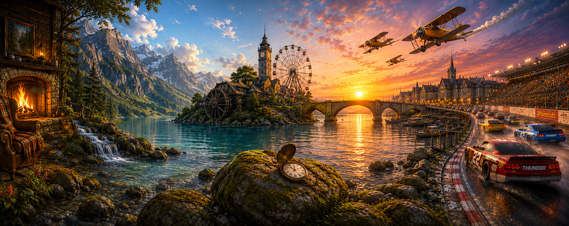
Choosing a desktop scene isn't only about the subject. Its pace can be just as important. Some scenes are designed to become part of the room, while others slowly reveal new views or carry you through a story. The right rhythm often matters more than whether you're looking at a beach, a castle, or a mountain landscape.
Some scenes are almost completely still. The camera never moves, allowing the screen itself to become part of the illusion. In "Fireplace", "The Lost Watch", and "Tropical Fish", all of the motion comes from within the scene itself—flickering flames, flowing water, drifting bubbles, or fish swimming through the aquarium. These scenes blur the boundary between the monitor and the object they portray, making the screen itself feel like a fireplace, an aquarium, or a quiet forest stream.
Others unfold at a slower pace. The camera glides gently through the environment, revealing new perspectives without ever feeling hurried. "Summer Highlands" and "Sunset Monuments" are designed to create a calm, relaxing atmosphere where the journey itself becomes part of the experience.
Then there are scenes built around cinematic storytelling. Carefully choreographed camera movements guide you through lively environments filled with changing viewpoints and countless details. "Festival Town", "Dutch Windmills", and "Medieval Castle" reward every minute you spend watching them, always revealing something new.
At the opposite end of the spectrum are scenes driven by speed and action. Dynamic camera work, dramatic viewpoints, and constant motion make "Western Railway", "Vintage Aircraft", and especially "Stock Car Racing" feel closer to an action sequence than a traditional screensaver.
There is no single pace that's right for everyone. A peaceful aquarium can be just as captivating as a racing circuit. The best choice is simply the one that matches your mood each time your desktop comes to life.
Why Not Enjoy Both?
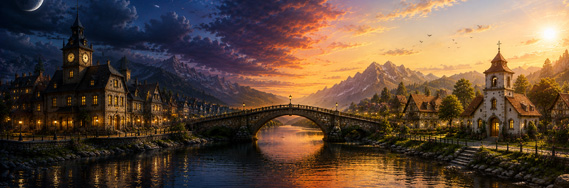
Many people approach this as a choice between two technologies. In reality, they were designed to complement one another rather than compete.
A live wallpaper accompanies you throughout the day. It brings gentle movement and atmosphere to your desktop while you work, study, browse the web, or simply leave your computer running. It doesn't ask for your attention—it simply makes the workspace feel a little more alive.
A screensaver takes over when you step away. Your desktop disappears, ambient sounds begin to play, and the scene unfolds exactly as it was meant to be experienced. Whether it's the sunlit comfort of "Spring Morning", the glowing neon world of "Cyber Aquarium", or the rain-soaked streets of "Silent Town", even a short break can become a welcome change of pace.
Used together, the two modes create a natural rhythm. One becomes part of your working day. The other quietly fills the moments in between.
One accompanies your work. The other welcomes your return.
Final Thoughts
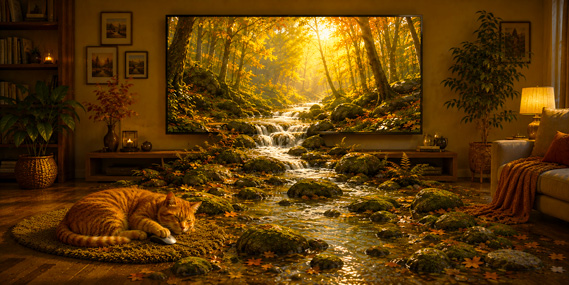
A desktop is one of the places we return to most often. Whether we're working, studying, creating, or simply taking a short break, it's always there waiting for us.
That's why choosing between screensavers and live wallpapers doesn't have to be an either-or decision. One brings gentle movement and atmosphere to the hours you spend at your computer. The other transforms moments of inactivity into something worth watching. Together, they make the desktop feel less like a collection of icons and windows, and more like a place with its own character.
Whether you prefer peaceful landscapes, historic landmarks, cozy interiors, underwater worlds, or fast-paced adventures, there's a scene to match your mood. And whether you enjoy it as a screensaver, a live wallpaper, or both, the goal remains the same: to make the time you spend at your computer a little more enjoyable.
Sometimes, changing what's on your screen is enough to change how the whole room feels.