How to Liven Up Your Desktop with 3D Screensavers and Live Wallpapers
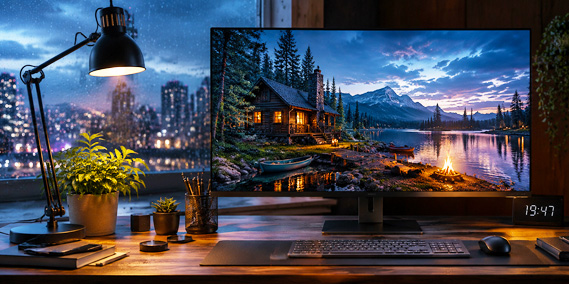
Your desktop is one of the places you look at every single day, yet it often becomes little more than a space for icons and open windows. Whether you’re searching for a moving background, an animated wallpaper, or simply a more beautiful workspace, interactive 3D screensavers and live wallpapers can transform the way your desktop feels.
Your Desktop Deserves More
Think about how much time you spend in front of your computer. It may be your workplace, your creative studio, your gaming setup, or simply the place you return to throughout the day. Yet despite all the advances in displays and graphics, the desktop itself often remains surprisingly lifeless—a static image that rarely changes and is quickly forgotten behind rows of open windows.
It doesn’t have to be that way.
Imagine glancing at your monitor and seeing gentle waves rolling onto a tropical shore, sunlight dancing across the water around a quiet lighthouse, fish drifting through a coral reef, or the warm glow of a fireplace filling a rustic cabin. These moments don’t interrupt your work—they quietly change the atmosphere around you.
People search for these experiences in many different ways. Some look for a moving desktop background, others for an animated wallpaper, a relaxing desktop scene, or simply a beautiful desktop. Whatever words they use, the goal is usually the same: to make the computer feel less like a machine and more like a place they enjoy returning to.
That is exactly what modern 3D screensavers and live wallpapers are designed to do.
Why Does Your Desktop Feel So Empty?

Modern computers are faster, sharper, and more capable than ever, but the desktop itself can still feel strangely lifeless. Most of the day, it is hidden behind open windows, and when it appears, it shows the same static image again and again. That may be enough for a practical workspace, but it does little to change the atmosphere of the room or give your eyes a quiet place to rest.
A moving desktop scene can fill that gap. It can create the feeling of looking through a window at the ocean, sitting beside a fire on a winter evening, watching fish glide through a coral reef, or drifting above the Earth at night.
Some people want a calming background while they work. Others want a decorative display for a large monitor, a cozy scene for a home office, or an animated environment that appears when the computer is idle. These wishes may sound different, but they often lead to the same experience: a desktop that feels less like a blank workspace and more like a place you enjoy returning to.
Screensaver, Live Wallpaper, or Moving Background?
The language around animated desktops can be confusing because several terms overlap. A wallpaper normally stays behind your windows and icons. A live or animated wallpaper adds movement to that background. A screensaver appears after the computer has been inactive for a chosen period.
People may also search for a desktop animation, a moving background, a virtual aquarium, a fireplace for PC, a relaxing nature scene, or animated scenery for Windows and Mac. Sometimes they know exactly what they want but not what it is called.
The exact term matters less than the experience you’re looking for. You might like an ocean scene running quietly behind your work. Perhaps you want a detailed clock to appear when you step away. Or maybe you want a large monitor to become a view of space, a forest, or an old city instead of going blank.
Depending on the product and platform, 3Planesoft scenes can work as traditional screensavers, animated desktop backgrounds, or live wallpapers. In every case, the purpose is the same: to make the screen feel alive rather than merely decorated.
What Makes a 3Planesoft Scene Different?

3Planesoft has been creating real-time 3D screensavers and desktop experiences since 2001. The idea has always been to build places rather than simply display pictures.
Each scene is created as a living three-dimensional world with its own lighting, movement, sound, atmosphere, and carefully arranged details. A lighthouse is not just an image. It stands within a changing seascape of moving water, drifting clouds, birds, distant vessels, mist, sunlight, or rain.
A fireplace is not just a repeating clip of flames. It illuminates the room around it, casting warm light and moving shadows across wood, stone, furniture, and objects near the hearth. An aquarium is not simply footage of fish swimming past the camera, but an underwater world where its inhabitants move independently among reefs, plants, bubbles, and shifting light.
Some scenes are quiet and meditative. Others are dramatic, historical, fantastical, or educational. Some are designed to be watched through a cinematic camera, while others invite you to look around or move through the environment. What connects them is a sense of depth and presence—the feeling that there is more beyond the frame than a flat image can show.
More Than Just a Video
A video always follows the same recorded sequence. The waves break at the same moment, a bird crosses the same part of the sky, and the camera reaches the same view after the same number of seconds. Even a beautiful loop eventually reveals where it begins and ends.
A real-time 3D scene works differently. Water, clouds, particles, lighting, reflections, wildlife, and environmental details can be generated and animated independently. Together, they create countless variations, so the scene does not repeat like a fixed clip.
Birds may appear in different places. Firelight may flicker across the room in a new pattern. Fog may gradually reveal and hide parts of the landscape. Reflections change as objects move. A clock can show the actual system time rather than the time captured when a video was recorded, as it does in Midnight Watch 3D Screensaver.
In some scenes, the camera follows its own path and presents the environment from a sequence of carefully chosen viewpoints. In others, you can control the view through modes such as Look Around or Follow Cursor.
The difference may seem subtle at first, but it becomes important over time. You are not watching a recording of a place. Your computer is rendering that place as it happens. This makes the scene feel more natural with repeated viewing and allows it to respond in ways that an ordinary video background cannot.
Explore, Don’t Just Watch

Many 3Planesoft scenes are created purely for atmosphere, but others are designed to awaken curiosity. Earth 3D allows you to rotate the planet, move closer to its surface, and discover landmarks, natural wonders, animals, cultures, and places from around the world.
Historical scenes can take you beyond a distant postcard view and place you inside an environment. You can walk among the Great Pyramids, explore Stonehenge, or sit in the cockpit of a First World War biplane and see the aircraft from the pilot’s perspective.
These experiences are not lessons in the traditional sense. There are no facts to memorize and no tests to pass. The educational element comes naturally from seeing scale, location, architecture, machinery, and landscape in context.
A monument becomes easier to understand when you can move around it. The shape of the Earth feels different when you can turn it yourself. A historical aircraft becomes more memorable when you can examine its instruments, construction, and surroundings rather than simply viewing a photograph.
This blend of relaxation and discovery is one of the strengths of interactive 3D scenes. You can leave them running as beautiful animated backgrounds, then take control whenever something catches your attention.
Choose the Atmosphere That Fits Your Mood
There is no single ideal desktop scene because the right choice depends on what you want to feel. An aquarium or tropical island can make a workspace feel lighter and more open. A forest stream, rainy town, or misty lighthouse can create a quieter, more reflective mood. A fireplace can bring warmth to a dark room.
Space scenes and views of the Earth can make the screen feel expansive, while fantasy worlds offer an escape from everyday surroundings. Historical environments invite exploration, and beautifully crafted clocks or richly detailed interiors reward closer observation.
The same scene may also suit different moments. While you work, it can remain a subtle animated wallpaper in the background. During a break, it can become something to watch for a few peaceful minutes. On a large display, it can transform an otherwise dark screen into part of the room’s atmosphere.
Seasonal scenes can change the desktop throughout the year, from spring gardens and summer seas to autumn forests, Halloween nights, snowy towns, and Christmas interiors.
Instead of asking which screensaver is “best,” it may be more useful to ask what kind of place you would like your desktop to become today.
Where to Start
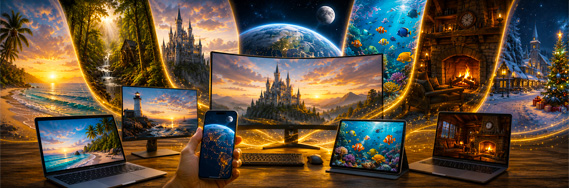
If you’re using Windows, you can explore individual 3Planesoft screensavers by theme—from oceans and forests to fantasy worlds, historic landmarks, space, cities, fireplaces, and seasonal scenes. Most are available as free trials, so you can experience them on your own desktop before deciding which worlds you would like to keep.
On Mac, Screen Wonders brings a growing collection of 3Planesoft screensavers and live wallpapers together in one application. It makes it easy to browse different moods, discover new scenes, and switch between them whenever you like.
Whether you call them screensavers, live wallpapers, animated backgrounds, moving desktop scenes, or virtual windows, the idea remains the same. Your desktop is one of the places you return to every day. It doesn’t have to remain empty, still, or forgettable.
It can become a quiet shore, a distant planet, an ancient monument, a glowing cabin, or an imaginary world. Sometimes, that small change is enough to make every day at your computer just a little more enjoyable.